> ## Documentation Index
> Fetch the complete documentation index at: https://docs.persistence.dev/llms.txt
> Use this file to discover all available pages before exploring further.
# Personal preferences
> Configure appearance, regional formats, navigation, profile, and notifications.
Personal settings control how Persistence appears and behaves for your account without changing the workspace configuration for other members.
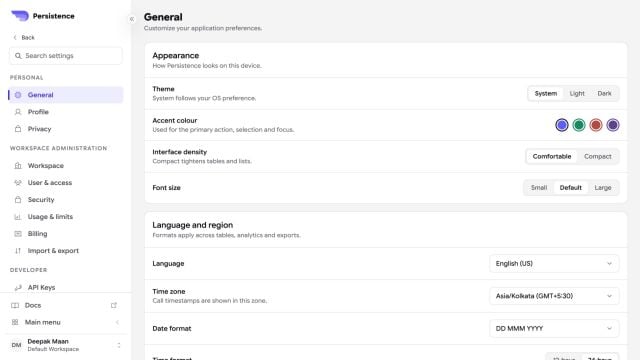 Use **General** to select your appearance and regional preferences. Use **Profile** to maintain your display name, job details, time zone, email, and sign-in methods.
Changes to a personal preference apply to your account or current device as indicated by the setting. Workspace identity, defaults, access, and security policies remain under the workspace administration pages.
Use **General** to select your appearance and regional preferences. Use **Profile** to maintain your display name, job details, time zone, email, and sign-in methods.
Changes to a personal preference apply to your account or current device as indicated by the setting. Workspace identity, defaults, access, and security policies remain under the workspace administration pages.