> ## Documentation Index
> Fetch the complete documentation index at: https://docs.persistence.dev/llms.txt
> Use this file to discover all available pages before exploring further.
# Privacy and PII controls
> Configure workspace and agent controls for personally identifiable information.
Workspace privacy settings define the default PII behavior. Agent security settings can override that behavior for a specific workflow.
 ## Configure protection
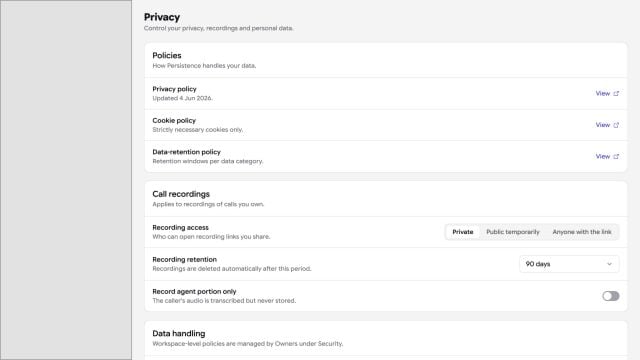
Open **Settings → Privacy**, enable PII detection, and choose the protection behavior:
* **Anonymisation** replaces detected values before they are used downstream.
* **Redaction** removes detected values from stored output. Redaction is unavailable when anonymisation is enabled.
Choose the PII categories relevant to the workflow. Supported categories include identity, contact, government identifier, and financial information such as names, dates of birth, addresses, email addresses, phone numbers, IP addresses, SSNs, passports, driver's licenses, credit cards, and IBANs.
## Override an agent
Open the agent's **Security** settings to apply agent-specific PII controls. Test the exact categories and formats your callers may provide.
Detection can miss unexpected formats and context. Do not use product controls as a substitute for consent, access control, retention policy, or legal review.
## Configure protection
Open **Settings → Privacy**, enable PII detection, and choose the protection behavior:
* **Anonymisation** replaces detected values before they are used downstream.
* **Redaction** removes detected values from stored output. Redaction is unavailable when anonymisation is enabled.
Choose the PII categories relevant to the workflow. Supported categories include identity, contact, government identifier, and financial information such as names, dates of birth, addresses, email addresses, phone numbers, IP addresses, SSNs, passports, driver's licenses, credit cards, and IBANs.
## Override an agent
Open the agent's **Security** settings to apply agent-specific PII controls. Test the exact categories and formats your callers may provide.
Detection can miss unexpected formats and context. Do not use product controls as a substitute for consent, access control, retention policy, or legal review.