> ## Documentation Index
> Fetch the complete documentation index at: https://docs.persistence.dev/llms.txt
> Use this file to discover all available pages before exploring further.
# Secrets
> Store credentials for actions and integrations without placing them in prompts.
Use **Settings → Secrets** to store encrypted values that actions, MCP servers, and integrations need.
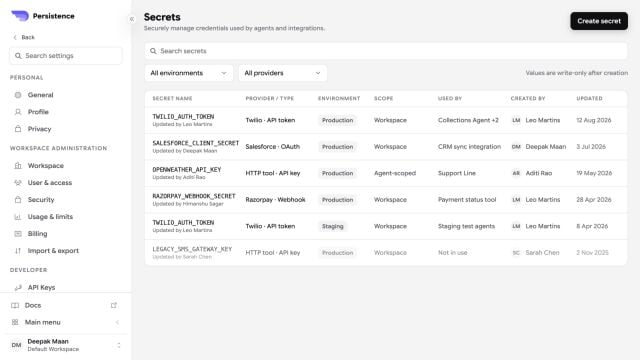 ## Create and use a secret
Create a name that describes the credential, such as `CRM_API_TOKEN`. Avoid names that reveal the secret value.
Enter the credential in Secret Manager. Do not place the same value in an agent prompt, test variable, or documentation.
In a supported credential, header, or parameter field, insert the secret using the `{{secrets.NAME}}` form shown by the editor.
Run a simulated call that invokes the action or integration and confirm both success and failure behavior.
## Rotate a secret
Update the stored value, test each dependent workflow, and revoke the old credential at its provider. Deleting a secret can immediately break every tool or integration that references it.
## Create and use a secret
Create a name that describes the credential, such as `CRM_API_TOKEN`. Avoid names that reveal the secret value.
Enter the credential in Secret Manager. Do not place the same value in an agent prompt, test variable, or documentation.
In a supported credential, header, or parameter field, insert the secret using the `{{secrets.NAME}}` form shown by the editor.
Run a simulated call that invokes the action or integration and confirm both success and failure behavior.
## Rotate a secret
Update the stored value, test each dependent workflow, and revoke the old credential at its provider. Deleting a secret can immediately break every tool or integration that references it.