> ## Documentation Index
> Fetch the complete documentation index at: https://docs.persistence.dev/llms.txt
> Use this file to discover all available pages before exploring further.
# Team access
> Invite users and control workspace permissions with roles.
Use **Users**, **Roles**, and **Invites** to control who can access a workspace and what they can do.
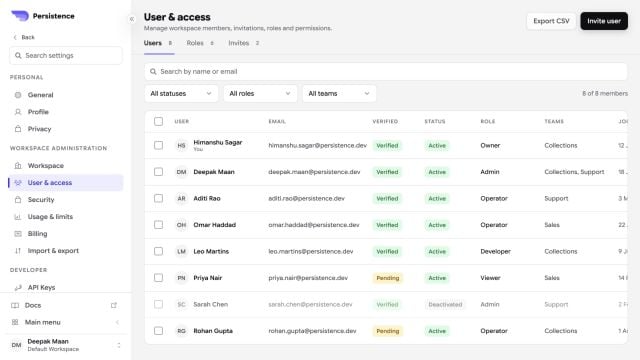 ## Add a user
Create an invitation with the user's details and select a role. The recipient can accept or decline the workspace invitation before it expires. You can resend or revoke a pending invitation.
## Manage roles
A role groups permissions. Create a role with a display name, description, and the permissions required for that job. Assign roles to users through their access settings.
Follow least privilege: grant only the permissions a user needs, and review access when responsibilities change.
## Remove access
Suspending a user temporarily removes access. Deleting a user or removing all access has a broader effect. Review every workspace and role assignment before confirming either action.
## Add a user
Create an invitation with the user's details and select a role. The recipient can accept or decline the workspace invitation before it expires. You can resend or revoke a pending invitation.
## Manage roles
A role groups permissions. Create a role with a display name, description, and the permissions required for that job. Assign roles to users through their access settings.
Follow least privilege: grant only the permissions a user needs, and review access when responsibilities change.
## Remove access
Suspending a user temporarily removes access. Deleting a user or removing all access has a broader effect. Review every workspace and role assignment before confirming either action.