Personal settings control how Persistence appears and behaves for your account without changing the workspace configuration for other members.
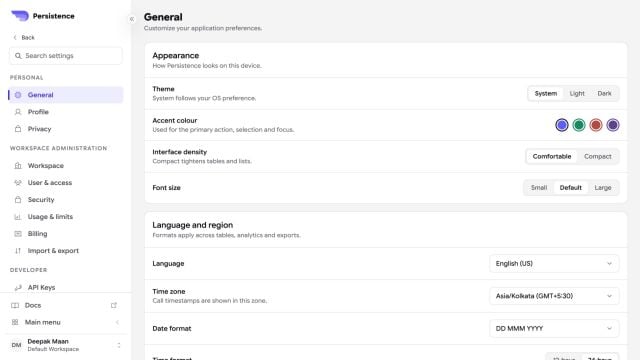
Persistence General settings with appearance, language, region, navigation, and notification preferences

General preferences cover theme, accent, density, type size, language, time zone, navigation, and notifications.

Use General to select your appearance and regional preferences. Use Profile to maintain your display name, job details, time zone, email, and sign-in methods. Changes to a personal preference apply to your account or current device as indicated by the setting. Workspace identity, defaults, access, and security policies remain under the workspace administration pages.