Use Conversations to investigate individual calls and find patterns that require an agent change.
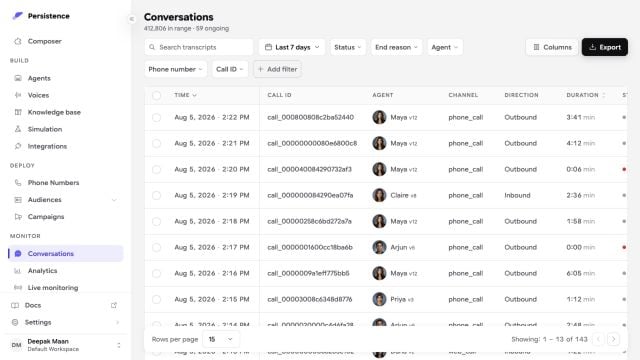
Persistence Conversations dashboard with call records, filters, agents, channels, and durations

The Conversations workspace supports dense filtering, configurable columns, and export across completed and ongoing calls.

Review a call

Filter conversations by time range, agent, campaign, collection, tag, status, channel, end result, or user sentiment. Open a conversation to review its summary, call details, transcription, activity log, and recording when available. Focus on:
  • Whether the call reached its intended result
  • The end reason and call duration
  • What the caller said before a wrong or delayed response
  • Which actions ran and whether they succeeded
  • User sentiment and end-to-end latency
End results distinguish connected hangups, transfers, voicemail, IVR detection, no answer, and failures. Activity logs show events such as participants joining or leaving, transfers, voicemail detection, and call ending.

Monitor active calls

Open Live calls to see calls that are currently in progress. Use live monitoring for operational awareness; use the completed conversation record for a full investigation after the call ends.

Turn findings into changes

Group similar failures before changing an agent. Update one part of the draft—prompt, flow, knowledge, action, or speech setting—then run simulated calls and publish a new version. Use collections and exports when you need a repeatable review cohort or a filtered data extract.