

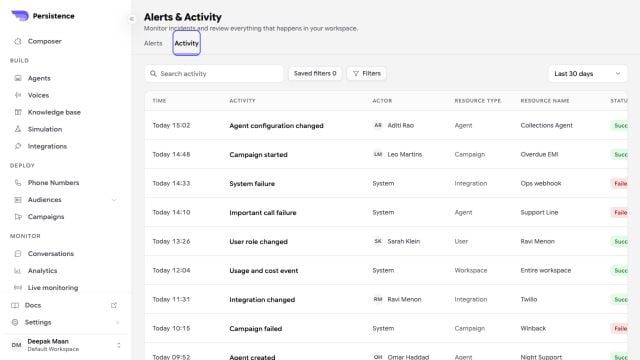
Activity history can be searched and filtered across agent, campaign, integration, user, usage, and system events.
Review an alert
Use severity, status, date, resource type, and saved filters to narrow the incident list. Open an incident to review the affected resource, start time, acknowledgement, resolution, and related activity. Create alert rules only for conditions that have a clear owner and response. Snooze an alert when investigation is already in progress, and unsnooze it when notifications should resume.Audit activity
Use Activity to review events such as agent configuration changes, campaign starts or failures, integration changes, role changes, import failures, and usage or cost events. Pair an activity entry with the relevant agent version, campaign, conversation, or integration record when investigating.An activity record explains that an event occurred. It does not replace provider logs, conversation details, or an incident-response record when deeper evidence is required.