Security settings separate controls for your own account from policies that apply across a workspace.
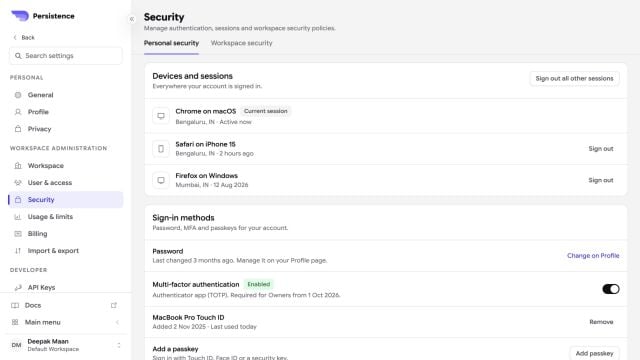
Persistence Security settings with devices, sessions, password, multi-factor authentication, and passkeys

Personal security shows active sessions and supported sign-in methods, including multi-factor authentication and passkeys.

Personal security

Review active devices and sign out sessions you do not recognize. Keep sign-in methods current, enable the strongest supported multi-factor option, and remove a passkey or device when it is no longer controlled by you.

Workspace security

Workspace owners can apply shared policies such as session duration, credential hygiene, release channel, and API-key controls. Evaluate the effect on integrations and automation before tightening a policy.
Treat an unfamiliar session, unexpected credential change, or unexplained role change as a security event. Revoke access first, then review activity and affected integrations.