

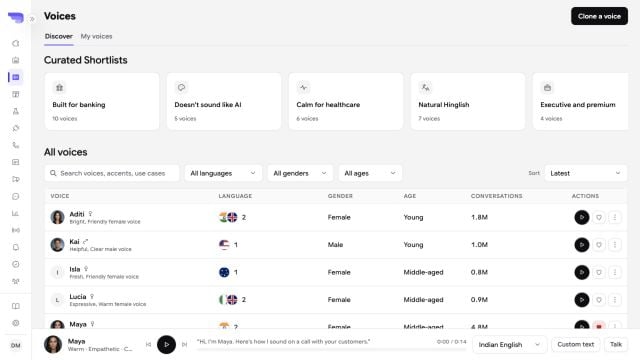
Discover voices through curated shortlists, filters, comparable metadata, and a persistent audio preview.
Find a voice
Open Voices to search and filter the library. Available filters can include provider, language, accent, gender, age, traits, and voice category. The library can include voices from Cartesia, ElevenLabs, MiniMax, OpenAI, and custom sources. Availability depends on the current workspace configuration.Preview consistently
Enter a specimen script to hear the same text across candidate voices. Test names, dates, amounts, product terms, and phone numbers that occur in the real workflow. When you select a voice for an agent, also configure its language and speaking speed. Use the browser preview to check pacing and interruption behavior over a complete conversation.Voice collections
Use Collections to group voices for a team, brand, language, or use case. Adding a voice to a collection does not change the voice itself. You can copy a voice ID from the library for a supported integration. Deleting a collection unlinks its voices; it does not delete the underlying voices.Clone a voice
The Custom voices page supports creating a Cartesia voice from a clean recording.1
Prepare the clip
Use WAV, MP3, FLAC, OGG, M4A, or WebM audio smaller than 10 MB. Record one speaker in a quiet environment.
2
Confirm permission
Confirm that you have permission to clone and use the speaker’s voice.
3
Create and test
Name the voice, upload or record the clip, create the clone, and preview it before using it in an agent.