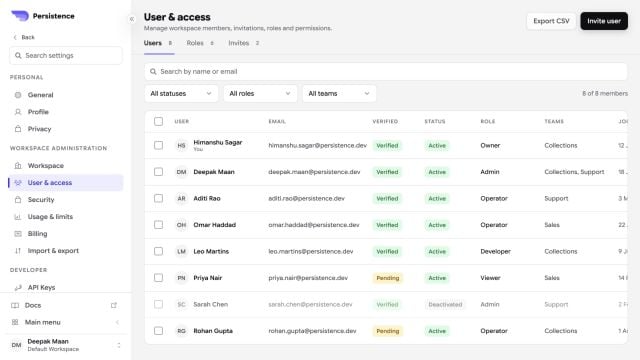
Use Users, Roles, and Invites to control who can access a workspace and what they can do.
Persistence User and access settings with users, roles, teams, and account status

User & access combines member status, verification, roles, teams, invites, and export controls.

Add a user

Create an invitation with the user’s details and select a role. The recipient can accept or decline the workspace invitation before it expires. You can resend or revoke a pending invitation.

Manage roles

A role groups permissions. Create a role with a display name, description, and the permissions required for that job. Assign roles to users through their access settings. Follow least privilege: grant only the permissions a user needs, and review access when responsibilities change.

Remove access

Suspending a user temporarily removes access. Deleting a user or removing all access has a broader effect. Review every workspace and role assignment before confirming either action.