

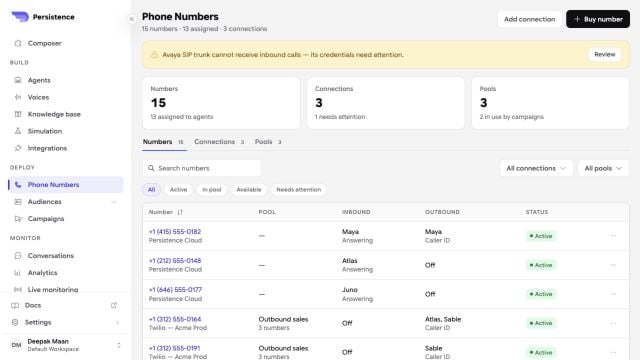
The Phone Numbers workspace combines numbers, provider connections, pools, assignments, and health warnings.
Add a number
Open Numbers and select Add number. Choose the path that matches your phone setup:Buy new number
Search available inventory and buy a number for the workspace.
Import from provider
Import numbers from a connected Twilio or Telnyx account.
Add manually
Add a custom phone number and SIP configuration.
Configure routing
Open a number to assign its inbound and outbound agents. Publish the agent version you want to use before routing live calls to it. You can also configure supported controls for the number, including:- Allowed inbound countries
- Allowed outbound countries
- SIP settings for a manually connected number
- An inbound webhook for events that need to reach your application