A workspace contains the resources your team uses together, including agents, phone numbers, integrations, contact groups, campaigns, and API access.
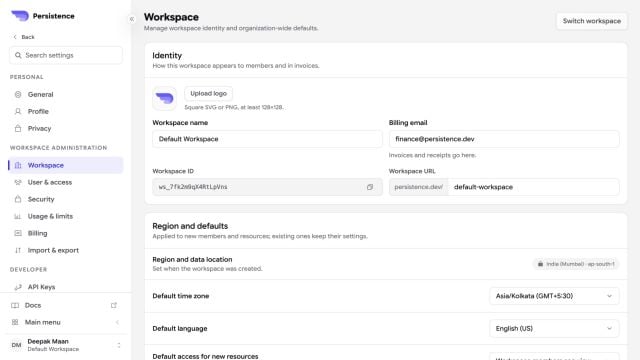
Persistence Workspace settings with identity, regional defaults, and workspace policies

Workspace settings control identity, region, defaults, policies, seats, and the workspace lifecycle.

Use the workspace switcher to move between workspaces you can access. Check the active workspace before you create, edit, or delete a resource.

Keep environments separate

When your organization uses separate workspaces for development and production, connect the correct phone resources and integrations in each workspace. Do not copy production credentials into prompts or test calls.

Before deleting a workspace

Review its agents, numbers, campaigns, integrations, API access, and team membership first. Workspace deletion affects the resources contained in that workspace.